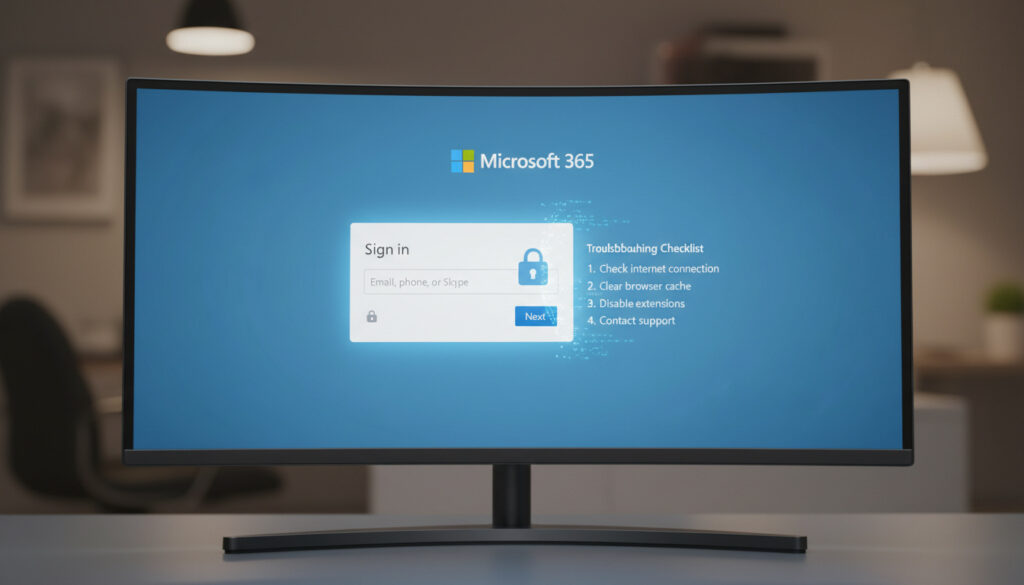
Microsoft 365 Sign In – Official Guide and Troubleshooting
Accessing Microsoft 365 requires authentication through verified Microsoft domains that validate user identity against either consumer account databases or enterprise Azure Active Directory services. The sign-in process serves as the security gateway to productivity applications including Word, Excel, Outlook, and OneDrive, with distinct pathways for personal subscriptions and organizational deployments.
Different account types demand specific URLs and credential formats. Personal accounts route through office.com using Microsoft Account infrastructure, while enterprises utilize login.microsoftonline.com with Azure AD authentication. Understanding these architectural differences prevents common access errors and mitigates phishing risks targeting Microsoft credentials.
How Do I Sign In to Microsoft 365?
According to Microsoft’s official sign-in documentation, users must distinguish between personal and work accounts before initiating authentication.
- Always verify the URL domain as office.com or microsoftonline.com before entering credentials to avoid phishing websites
- Enterprise work accounts require login.microsoftonline.com rather than the consumer office.com portal
- Clearing browser cache and cookies resolves the majority of authentication errors
- Enabling two-factor authentication prevents unauthorized access even if passwords become compromised
- Password entry is case-sensitive and must match the exact registration details
- Microsoft 365 applications on desktop require separate activation sign-ins distinct from web authentication
| Attribute | Specification |
|---|---|
| Primary Consumer Login URL | office.com |
| Enterprise Work/School URL | login.microsoftonline.com |
| Supported Platforms | Web browsers, iOS, Android, Windows, macOS |
| Account Architecture | Microsoft Account (personal) or Azure AD (work/school) |
| Account Lockout Duration | 15 to 30 minutes following multiple failed attempts |
| Legacy System Requirements | TLS 1.2 protocol mandatory for Windows 7/Server 2008 |
| Authentication Plugins | Microsoft.AAD.BrokerPlugin_cw5n1h2txyewy |
| Primary Troubleshooting Tool | Get Help application built-in troubleshooter |
How to Sign In to Microsoft 365 with a Work or School Account?
Using microsoftonline.com for Enterprise Access
Organizational accounts require navigation to login.microsoftonline.com rather than the consumer office.com portal. This domain connects to Azure Active Directory, enabling administrators to enforce conditional access policies, device compliance checks, and Multi-Factor Authentication through Microsoft Endpoint Manager. Users must select “Work or school account” when prompted to avoid routing errors to the consumer authentication system.
Distinguishing Personal from Organizational Accounts
Microsoft maintains separate credential stores for consumer and enterprise identities. Personal accounts typically use @outlook.com, @hotmail.com, or @live.com domains, while work accounts utilize custom organizational domains. The sign-in interface presents distinct options; selecting the incorrect category results in “account not found” errors even with valid credentials.
Clicking “Work or school account” initiates Azure AD authentication protocols, while “Personal account” routes to the Microsoft Account consumer identity system. Each pathway maintains separate password policies and recovery mechanisms.
Why Can’t I Sign into Microsoft 365 and How to Fix It?
Common Error Causes
Microsoft’s troubleshooting documentation identifies credential errors, network interference, and browser conflicts as primary failure points. Third-party technical analyses confirm that temporary account lockouts occur after multiple failed password attempts, typically lasting 15 to 30 minutes during which valid credentials remain rejected. Network infrastructure including VPNs, proxy servers, and firewall configurations frequently block authentication processes such as Microsoft.AAD.BrokerPlugin_cw5n1h2txyewy.
Browser-related issues stem from outdated client versions, corrupted cache data, cookie conflicts, and malevolent extensions targeting Microsoft domains. Service outages documented on the Microsoft Service Health dashboard occasionally prevent authentication regardless of local configuration.
Basic Fixes and Resets
Microsoft’s built-in troubleshooters provide automated diagnostics accessible through the Get Help application by searching “sign in to Microsoft Office.” For browser-based failures, clearing cache and cookies or initiating private browsing sessions eliminates corrupted data interfering with the authentication handshake. Desktop application failures require dismissing work/school accounts through Settings > Accounts or modifying registry keys including ProtectionPolicy DWORD values under Cryptography\Protect\Providers.
Microsoft security protocols enforce temporary suspension periods of 15 to 30 minutes following consecutive failed authentication attempts. During this interval, correctly entered passwords will not restore access until the lockout expires.
Authentication processes require unobstructed communication with Azure AD endpoints. VPNs, proxy configurations, and firewall rules frequently interrupt the Broker Plugin processes necessary for token generation.
What If I Forgot My Microsoft 365 Password?
Password Recovery Steps
Account recovery initiates at account.microsoft.com using the password reset tool. Users must verify identity through registered security information including mobile telephone numbers or alternative email addresses to receive two-factor authentication codes. Enterprise account holders cannot self-reset through consumer portals; organizational administrators must initiate authentication method resets through the Azure AD admin center.
Security Verification Process
The Sign-in Helper Tool at support.microsoft.com diagnoses account-specific issues when users provide registered email addresses or phone numbers. Adding recovery information during initial account setup proves essential for successful verification, as Microsoft cannot bypass these security measures even for account owners lacking registered secondary authentication methods.
How Has Microsoft 365 Sign-In Evolved Over Time?
The authentication infrastructure supporting Microsoft 365 has undergone significant architectural changes since its initial deployment, with security enhancements reflecting evolving threat landscapes.
- 2011: Office 365 launch introduced cloud-based identity management replacing traditional volume activation
- 2020: Rebrand to Microsoft 365 consolidated consumer and enterprise authentication interfaces under unified branding while maintaining separate backend systems
- 2023: Enhanced two-factor authentication enforcement mandated secondary verification for all administrative accounts and high-risk sign-ins
- 2025: Passwordless sign-in rollout expanded support for Windows Hello, FIDO2 security keys, and Microsoft Authenticator approvals as primary authentication methods
What Is Definitive vs. Uncertain About Microsoft 365 Sign-In?
| Established Information | Information Requiring Verification |
|---|---|
| Official domains are exclusively office.com, login.microsoftonline.com, and support.microsoft.com | Third-party troubleshooting sites claiming registry modifications may introduce security vulnerabilities |
| Microsoft Service Health dashboard provides authoritative outage status | Unverified “quick fixes” circulating on forums that bypass standard authentication flows |
| Account lockouts persist for defined 15-30 minute intervals | Rumored permanent account bans for repeated failed attempts without warning systems |
What Context Defines Microsoft 365 Sign-In Requirements?
Microsoft 365 encompasses subscription-based access to productivity software and cloud storage services, requiring robust authentication to protect proprietary business data and personal information. Enterprise deployments utilize Azure Active Directory to enforce conditional access policies, device compliance through Intune mobile device management, and Multi-Factor Authentication requirements that consumer accounts may optionally configure. What Is 90 Days From Today – Exact Date and Calculation Guide demonstrates time calculation methodologies applicable to subscription billing cycles and trial period expirations common in Microsoft 365 licensing.
The distinction between consumer Microsoft Accounts and organizational Azure AD identities creates divergent authentication experiences. Consumer accounts emphasize self-service recovery and optional security features, while enterprise accounts mandate administrative oversight, password complexity requirements, and compliance with organizational security policies that may block sign-ins from non-compliant devices or unfamiliar geographic locations.
What Do Authority Sources Say About Sign-In Procedures?
Sign in at office.com for personal Microsoft accounts. For work or school accounts, use login.microsoftonline.com and select “Work or school account.” Always verify the browser address bar displays the correct Microsoft domain before entering credentials.
Microsoft Support Documentation
Temporary account lockouts lasting between 15 and 30 minutes occur automatically after multiple failed authentication attempts to prevent unauthorized access through brute force methods.
Microsoft Learn Technical Documentation
Administrators managing enterprise deployments should consult Microsoft’s business support forums for tenant-specific authentication issues requiring administrative intervention.
What Are the Essential Actions for Microsoft 365 Sign-In?
Successful authentication requires verifying the correct URL for your account type, maintaining updated security information for recovery scenarios, and understanding the distinction between personal and enterprise authentication pathways. Users encountering persistent failures should utilize Microsoft’s built-in troubleshooters, verify network configurations exclude VPN interference, and contact organizational administrators for work account issues. Those examining software evolution may reference Call of Duty Games – Complete List in Release Order for additional context on technology release timelines.
Frequently Asked Questions
What is my Microsoft 365 login email?
Your login email is the address registered during account creation, typically ending in @outlook.com for personal accounts or your organization’s domain for work accounts. Check original welcome emails from Microsoft or contact your IT administrator to confirm the exact address format.
Why is my Microsoft account not working for 365 sign in?
You may be using personal credentials on a work login page, or vice versa. Clear your browser cache, verify you are on the correct URL (office.com versus login.microsoftonline.com), and check for automatic account lockouts following multiple failed password attempts.
How to enable two-factor authentication for Microsoft 365 sign in?
Visit account.microsoft.com, navigate to Security settings, then Advanced Security Options. Enable two-step verification and register a phone number or Microsoft Authenticator app. Enterprise accounts require administrators to enforce Multi-Factor Authentication through Azure AD policies.
Is Office 365 sign in the same as Microsoft 365?
Yes. Microsoft rebranded Office 365 to Microsoft 365 in 2020. The sign-in URLs, authentication methods, and account systems remain functionally identical, though Microsoft 365 includes additional security features and application updates.
What is the official Microsoft 365 sign in page?
The official entry point is https://www.office.com for personal accounts and https://login.microsoftonline.com for work or school accounts. Always verify the URL contains microsoft.com or office.com before entering credentials.
How long do temporary lockouts last?
Temporary lockouts persist for 15 to 30 minutes following multiple failed authentication attempts. During this period, even correct passwords will not grant access until the security timeout expires.
More related posts
 Royal Bank of Canada: Overview, UK Presence & Key Facts
 How Much Magnesium Per Day – RDA for Men, Women and Supplements
 How to Find the Median: Step-by-Step Guide with Examples
 Soft Summer Color Palette: Colors, Hair & Makeup Guide
 What Is the 5th Amendment? Meaning & Plead the Fifth
 3 Meters to Feet Conversion: 9.8425 Feet or 9 Ft 10 In
 Creed Silver Mountain Water – Notes, Review, Longevity and Buy Guide